Tuesday, 30 September 2014

In Living 'Memory', connecting Alzheimer's


At ONA we specialise in our ability to bring the wider world into your everyday. Making you ‘Connected’. In through the communications room, distributed through a ‘Rack’ and along the liquorice strands that we love so much. We are installers of data network cables. eCables for the public and private sector.
 
Being connected is so important to us all nowadays. We search out the Wi-Fi, or have devices that roam for links, so we can ensure we are in communication with the outside world, constantly! It has become, very much a need. We are driven by it. Can you remember a time when you just couldn’t get connected; bad signal, bad weather conditions, the computer that would not start-up as fast as you wanted it too. Can you remember that time/s? Did you feel confused and frustrated about your lack of ‘connectivity’ to the outside world?
 
For those that are HIT with Alzheimer’s, the ability to connect becomes a slow drip feed away from the daily norm. The ‘time lapse’ of personal change differs for everyone, but the everyday that we all take for granted, disappears. We become detached and non - connected. At ONA, we love connecting people, but know from personal experience the changes in those that suffer with Alzheimer’s. Impacting not only the sufferer, but those that have a daily connection to them. It is hard to communicate the understanding of this.
 
Ada, always known as Aunt Ada to us kids, was our great family friend. My living memory of her was ‘the life and soul’. In her 70’s, she still had the opportunity to shine, and fill the room with her personality and laughter. Being very connected to those around her. She slowly slipped away, changed, confused and disorientated. Becoming totally unrecognisable to those around her, her elliptical support. Not an unusual story in the history of Alzheimer’s, nothing unique, but very touching to those that are still around. At least we still have our connected memories of our Aunt Ada.  
 
At ONA we support BRACE, whose raison d'etre is to raise funds for research into Alzheimer's.

We hope this has brought to you some connected understanding and awareness of the condition.  

Please watch me - Alzheimer's


Tuesday, 22 July 2014

BS Si-Tech – Silicon Valley has moved!


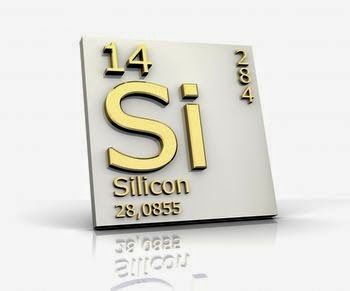
Silicon; Si, Atomic Number 14, Metalloid with a Cubic structure and Atomic Mass 28.0855 amu. ONA loves all things Tech. 

When the phrase ‘Silicon valley’ was coined, computer technology was in its established infancy, and the big names in computers made expansive business all in the geography of the U.S.A. The phrase ‘Silicon Valley’ being synonymous with computers and tech.
Si-Tech’s UK infancy was very much a London centric phenomena. Establishing the UK as a force within the Tech community, but the Si-Tech revolution migrated beyond the confines of the M25 to a new location. Now it nestles at a Latitude and Longitude of 51.46 North/ -2.60 West and has a BS postcode.
 
 
For me, as a Bristol business owner, and a lover of all thing Tech. Si-Tech is now in its rightful place.  As per the Evening Post (16 July ’14 edition), Bristol is a “……globally significant tech cluster” and has a “…..fantastic vibrant tech scene”.

 
Bristol has for a time, been at the forefront of many industries; aerospace, microelectronics and animation to gaming software, bio medicine, robotics. Also a hub of great creativity; the modern day creative outlaw/ genius Banksy being one! 
All revolutions needs trail blazers, to take the developmental baton on, and some of these we give thanks to. So look out for The Engine Shed, Bristol & Bath Science Park, Bristol Hackspace, Bristol Robotics Laboratory, Pervasive Media Studio, Bristol Braille Team and Second Sync to name but a few.

At ONA, we love all things Tech and all things BRISTOL.

(*) All references to Latitude and Longitude are approximate.

Wednesday, 18 June 2014

All in all, is Convergence Infrastructure, just another brick in the wall?


If only PINK FLOYD had written a song about Convergence Infrastructure. At ONA we would be in ‘Seventh Heaven’, wherever that is. Not sure what they would have written with their angst ridden lyrics, especially as Convergence Infrastructure is part of the future proofing of businesses in the UK and beyond. 

Historically your data (computer) or voice (telephone) or visual (video) or in fact good old fashioned electricity, for lighting say, would have a cable of its own and never the twain shall meet. Each on its own, individual, separate, devoid from relationship. All installed possibly by separate teams of people, all vying for the best space to run the multitude of cables into little cubby holes, hidden from your view.  

But!

“COME TOGETHER” – sang the Beatles!  and who would have thought that the liquorice strands of eCable that ONA spoke about last month BLOG could be so versatile http://www.it-cabling.blogspot.co.uk/2014/05/why-cable-is-king.html .

But they can!

This is where Pink Floyd would rail against the tide of Convergence Infrastructure, so no “Hey! Teacher! Leave them Kids Alone” here. As IP or Internet Protocol is the control measure (the Protocol bit), that creates a standardised set of rules to run on a Converged Infrastructure. It turns out that IP convergence refers to the capability to act as a single foundation for various functions that traditionally had their own platforms.

Now with end user technology, in computers, voice, visual and electricity, your infrastructure can be plotted within your building, using the very same colourful eCable [link to last months’ blog again] that ONA spoke about last month. 

So before you plan your next move and if you want to know more about IP, IT, PSTN, VoIP, eCable or IPTV – YES I know!, then speak to me, Roy at ONA.

I love Pink Floyd

Mob: 0779 9628927
Web: www.onaltd.co.uk

Friday, 23 May 2014

Why Cable is KING!


At ONA we love cable. We eat, sleep and breathe it.
It is our life!

When you turn your computer on and it kicks into its digital life, your only thought for the infrastructure behind that glowing screen is when you experience a problem; too slow, can’t log on, etc etc. Where is 'I.T.' when you need them?????
But between your communication room and your computer there is a choice of Wireless or Ethernet Cable that allows you to have a portal to the outside world. As such there is a debate raging (well slowing simmering), over the provision of that infrastructure being either Wireless or Ethernet cable.
Ethernet cable, or at ONA we call it eCable.
eCable (ekeib l) n. long liquorice strand of fine wire, wrapped in a lovely and very fetching purple (other colours available!) coating, providing a window on your world.
Wireless, not so much the new kid on the block, but it is the potential future. In the business community there is a place for wireless, but mostly specific to portable devices; phones, laptops. WIRELESS DOES HAVE ITS DRAW BACKS THOUGH there are the horror stories of the mass of tangled cables underneath your desk, mixed with a history of fluff and sweet wrappers. But hard wired (eCable) computer systems bring many advantages.

eCable, if effectively installed, either at the time of build or retro fitted into a work environment can be managed very successfully and provides a greater level of benefits for your organisation. The benefits far out way any issues; simple computer to network connection process, higher level of security controls, ability to manipulate data through higher download speeds with increased high-speed internet access, greater stability and reduction in downtime, higher levels of multiple users, lower life cycle costs to wireless (there are cabling systems that are still giving great performance after 15 years+), there is a higher level of understanding of the technology within the IT community, reduction in external interference from other sources such as radio. These are to name but a few.
And don’t just think eCable as the messenger of image based information. It also simply carries VOICE. Many phone systems run a Voice over IP (VoIP) system and for BEST Results (No TIME DELAYS), and BEST Practice use of eCable (Ethernet) is the only solution. 

So at ONA we like to say - “eCable is TRULY KING!”
 
For more details please contact Roy Adair on 07799628927

Wednesday, 23 October 2013

Which structured cabling system is best for your network?


With so much choice available and with names and terms that can easily confuse all but the experts, making the right choice for your network can be a confusing and frustrating process. In this blog I’ll try to make things clearer, so you know the best network that suits you.


Copper 
For thousands of smaller existing LANs (Local Area Networks), there is unlikely to be the need for anything other than Category 5e (Class D), as it is cost effective and provides the speeds that these networks typically require (up to 1 gigabits a second). They are also the ideal choice for short term networks, such as  a short term lease.

If you are thinking of putting a new network in place, it is likely this will be a long term investment, if the speeds aren’t expected to be over the 1Gb/s level, then you can build in a ‘headroom’ or safety margin into your network, by using Category 6 instead.  It’s only a little more expensive, but is a safer long term choice.  There are also shielded and unshielded cables, however that would need a blog on its own to explain, suffice to say most installs will be OK with unshielded cable.

If however you are looking to use speeds up 10Gb/s, then Category 6A is almost certainly the best option, having been designed for 10 Gigabit Ethernet. The switches for 10Gb/s are now readily available and desktop PCs and Laptops are likely to have the technology soon, with Intel having released their ‘on-motherboard’ chipset this year. In fact, 6A is the minimum level to use for all date centres. Cat 7 is effectively obsolete and Cat 7A is unlikely to be able to run 40 
Gb/s.


Fibre
For speeds up to 10Gb/s, all fibre links consist of two fibres, whether you use singlemode or multimode fibres. However at speeds over this multimode requires eight fibres per link for 40 GB/s and 20 for 100Gb/s, whereas singlemode can carry up to 100Gb/s using only two fibres. Singlemode is in theory the best solution, especially if you are covering distance of 100m and above. It also covers speeds from 1Gb/s right through to 100Gb/s, so is great for future proofing, but the costs are more expensive than multimode.

If the singlemode is more than your current needs, then multimode may be the answer. Keep in mind however, that different connectors are needed depending on the speeds you require and this can be costly to change If you require faster speeds in the future, especially if going from 40Gb/s to 100Gb/s. Recently however there have been a few products launched, designed in mind to easily migrate your network from 10Gb/s to 40Gb/s and possibly 100Gb/s in the near future. If however you require the 100Gb/s speeds in the next two or three years, you are best to go for the singlemode or current 20 fibre multimode that is available now.

Which structure cabling to use, very much depends on your own circumstance. Hopefully this  blog gives a clearer picture of what is best for you and as the original articles says, there is no substitute for getting a highly knowledgeable consultant to help you make the best choice!


Thanks to the article from Network Communication News, written by Ken Hodge for the information provided here. If you are unsure on some of the terms used, please have a look at my previous blog http://www.it-cabling.blogspot.co.uk/2013/05/a-laymans-guide-to-it-acronyms-and.html or get in touch.

Thursday, 9 May 2013


A layman’s guide to IT acronyms and names

Network – I am talking about the IT network NOT business networking! A collection of IT devices like PCs and Printers etc that can talk to each other.

LAN – Local Area Network – The computer network in your office/school/factory and on your campus.

WLAN – Wireless Local Area Network (Not to be confused with a WAN below). A Wireless LAN is a Local network like the above, but via wireless signals like you have at home if you have wireless internet.

WiFi – Same as WLAN.

AP, Access Point or Wireless Access Point – These are the devices that supply the wireless signals for your wireless network, at home they are often incorporated into your internet router. If they are not part of the router then they need to be plugged into a wired network.

Router - Sounds like Rooter not Rowter which is how the Americans tend to say it. This device converts your internet signal to an Ethernet network (see below for Ethernet). Can also be used to split networks but that gets too deep for this page!

Firewall – A clever bit of kit that is set up by clever people to help stop nasty people getting on to your network, some routers have these built in.

WAN – Wide Area Network – The network beyond your office/school/factory and on your campus, the internet could be seen as a WAN.

SoHo – Small office, Home office – Some devices are described as “suitable for SoHo” this means a small number of network users.

G3 and G4 – Data connections to the internet from your mobile service provider such as Vodafone, 3, EE etc.  On your device you may see G changing to E or H, E and H are slower versions of the same thing.

The Cloud – This is disk space somewhere in the world where you can store and retrieve your personal data via the internet, this can be via 3G or 4G through your mobile device or just through the standard internet at your home or office. Things like Google Drive, Apple Cloud, Drop Box are cloud services, there are many others.

Server – This is the large PC that probably runs your office IT systems and sits in a cupboard or corner (or if you are a large outfit a computer room), you may have more than one server in your office for different IT functions.

Switch – Now this can get a bit confusing as there are Data switches and Voice/Telephone switches. The Server, internet router and the rest of the computers will be plugged in to this. The Voice/Telephone switch will have the phones plugged it to it.

Port – This normally refers to the connection on the switch that the network or phones plug in to. You will also sometimes hear people refer to the structured cabling “wall port”, that being the socket on the wall for the network.

VoIP – Voice over Internet Protocol – Referring to switches above, some Telephone systems now use the Data network to run the Telephones either on a separate Data switch or the same one that is used by the rest of the network.

Ethernet – The network protocol that nearly all networks use to transmit data to PC’s and other devices, 40 years old on 23rd May 2013! Invented by Xerox.

PoE – Power over Ethernet – Some devices that use Ethernet like VoIP phones, CCTV cameras and WiFi Access Points are often situated where it is inconvenient to get mains power to so PoE was developed to power these devices via 48 Volts DC. You always need a network cable to them so why not use it to power them as well!

Structured Cabling – The cabling within the building that allows Ethernet to transmit the data required by the network and so allow all the different services run. You can run all sorts of services over this cable including Ethernet, Voice, Video, VoIP, Fax and others. You should look your office and think “how many different services do I need on each desk”, a PC, a Phone maybe a Laptop or printer, so in this case 3. That is the least you should install per desk in this case. These cables are wired back to a central point where all your services are for you to connect them into your Structured Cabling System. It means you can have any service wherever you like in the building as long as there is a Structured Cabling Socket available.

UTP/FTP/STP – Structured cabling types are often referred to by these acronyms. They refer to the construction of the cable –
UTP = Unshielded Twisted Pair
FTP = Foil Shielded Twisted Pair
STP = Shielded Twisted Pair
There are a few other acronyms, however these are the ones you are most likely to hear. In simple terms most offices are cabled using UTP i.e. unshielded cable. Shielded, FTP or STP may be used in secure or electrically noisy environments, however it is crucial that any shielded cable is earth properly.

RJ45 – This is the common name for the connectors used in structured cabling, they look a bit like a BT socket but are a different shape, the plug is usually clear plastic as opposed to the white BT plug and has 8 pins. Your broad band plug is a smaller, very similar looking, clear plastic plug called an RJ11, please do not plug this into a structured cabling RJ45 socket as it will damage the pins as it is a different shape.

Category 5e (Also known as Class D: up to 100 MHz) – Is a structured cabling standard that allows the transition of data up to 1Gigbit/second up to 90 meters

Category 6 (Also known as Class E: up to 250 MHz) - Is a structured cabling standard that allows the transition of data up to 1Gigbit/second up to 90 meters but can offer better quality services if you wish to transmit video or other higher frequency services.

Category 6A (Also known as Class EA: up to 500 MHz) - Is a structured cabling standard that allows the transition of data up to 10Gigbit/second up to 90 meters.

Category 7 (Also known as Class F: up to 600 MHz) - Is a structured cabling standard that allows the transition of data up to 10Gigbit/second and possibly beyond, up to 90 meters.

Fibre Optic Cabling – Very fine strands of glass that transmit Data signals. While BT use miles of the stuff in the street  within the office environment it will typically be used to connect buildings  together on a campus site or to connect two areas of the network that are over 90 meters away as fibre can run the same protocols as copper but over much longer distances. It is also immune from Electro Mechanical Interference.

Armoured Cable or SWA cable – This is a cover over any type of cable that needs robust mechanical protection. It consists of steel braids running the full length of the cable. SWA stands for Steel Wired Armoured.